This blog post will focus on feature mapping for user flow and early low-fidelity designs for the different pages in the Watchpoint, Overwatch social hub app, by using system maps and wire framing to support the UI (User Interface) and UX (User Experience) to create an accessible app.
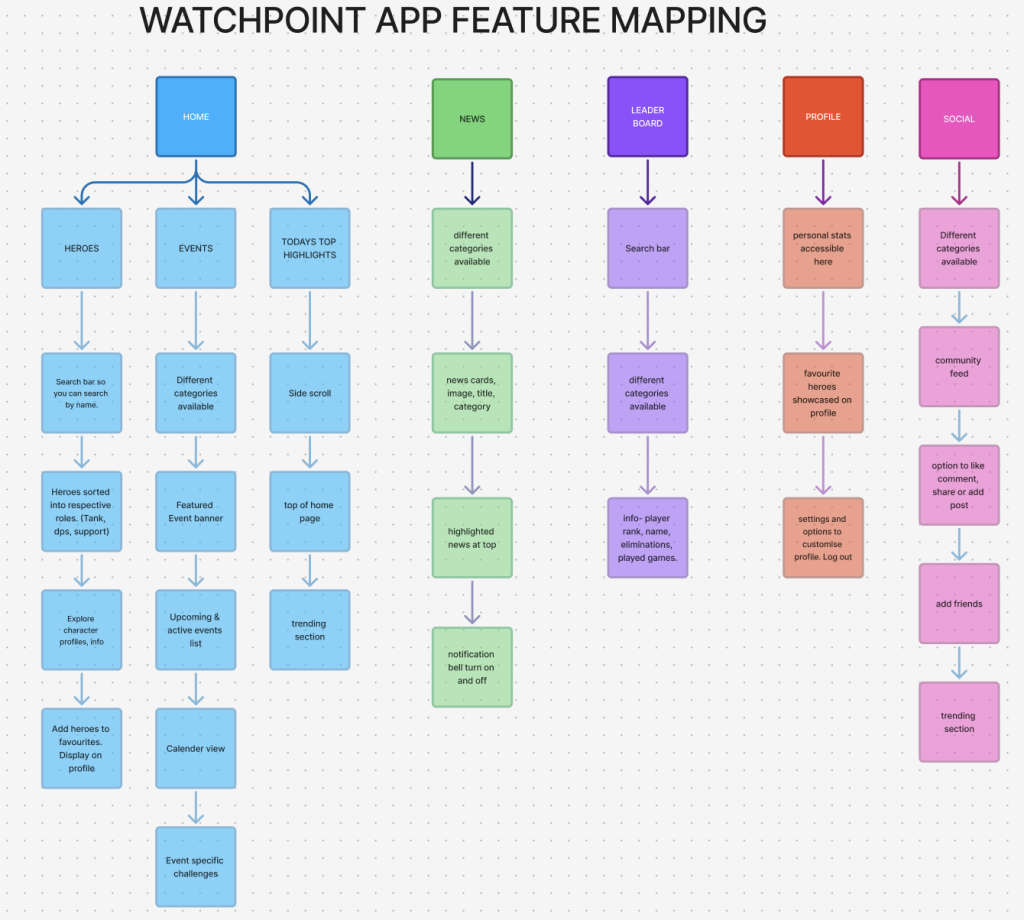
This feature map breaks down what users can do , where they can do, and how each feature supports the overall user experience. By identifying and organising the core functions of the app, I was able to build a clear structure that blends Overwatch content with strong social and interactive features.
The app is made up of several key pages:
Home: A dynamic landing space that showcases recent community highlights, current or upcoming Overwatch events, and quick access to the heroes page. This section is designed to keep users engaged from the moment they login.
News: A feed of Overwatch updates, including patch notes, event announcements, and community blogs. Each post includes a release date, helping players stay up to date with the game.
Social: This is where users can fully engage with the community, posting highlights, asking questions, and sharing Overwatch-related content. Posts can be liked, commented on, or shared, encouraging a collaborative environment.
Leaderboard: This page highlights player stats, with categories to filter data. Every page also includes filter options to users easily find the information they’re looking for.
Profile: A personalised page for each user, showing their username, favourite heroes, and customisation options. This page also includes app settings for accessibility features for those with visual impairments such as altering text and changing colour to whatever suits the user.
UI Wire framing (Low fidelity)
Low-fidelity wireframes are basic wireframes focused on layout, navigation, and information architecture. They show what the interface will look like, illustrating user flows with key UI design elements (Figma, 2025).
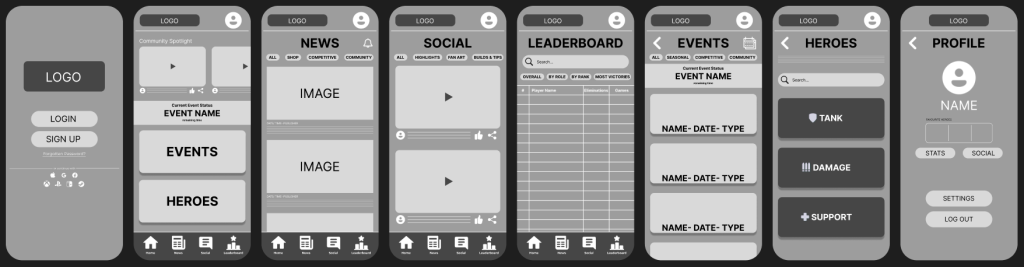
User flow- HTA Diagram
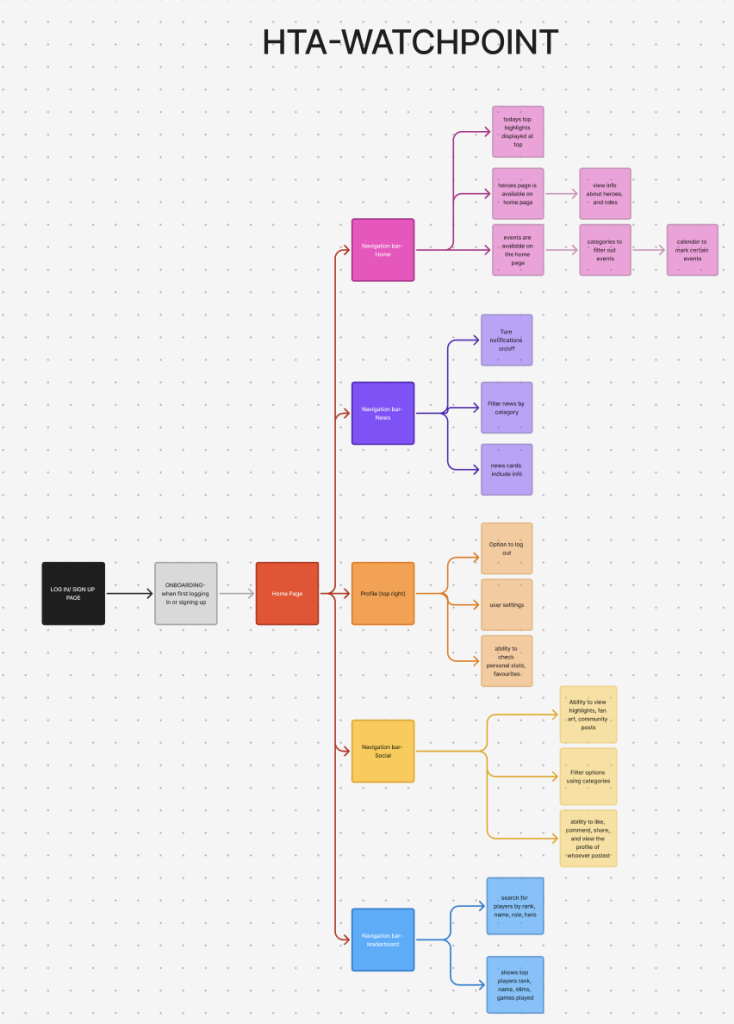
To better understand how users would interact with Watchpoint, I created a HTA diagram using figjam. This helped me visualise the user flow, mapping out the key tasks a user might perform, such as logging in, navigating between pages, using social pages, checking the leaderboard. By breaking these actions down into smaller, manageable steps, I was able to ensure the app’s structure is intuitive and efficient. The HTA supported my UX decisions by showing where users might need extra guidance or where certain actions could be refined to improve the overall experience.
References:
Figma (2024) What is wireframing? Available online: https://www.figma.com/resource-library/what-is-wireframing/#what-is-a-wireframe [Accessed 5/5/2025].
Figjam Board: